

Ring Groups
Ring one or more of your own phone numbers when a call comes in — all at once or one at a time — and understand what counts as a picked-up call.
A ring group is one or more phone numbers that ring when a call is routed to "Ring a number." It's how you send calls to your own team — your cell, the front desk, an on-call phone — before or instead of your AI receptionist.
The short version: A ring group is a named set of phone numbers. Calls can ring them all at once or one after another. Ring groups are shared across your whole workspace, so you can pick one from any "Ring a number" slot — your hours, after-hours, or holidays, or an override.
Create a ring group
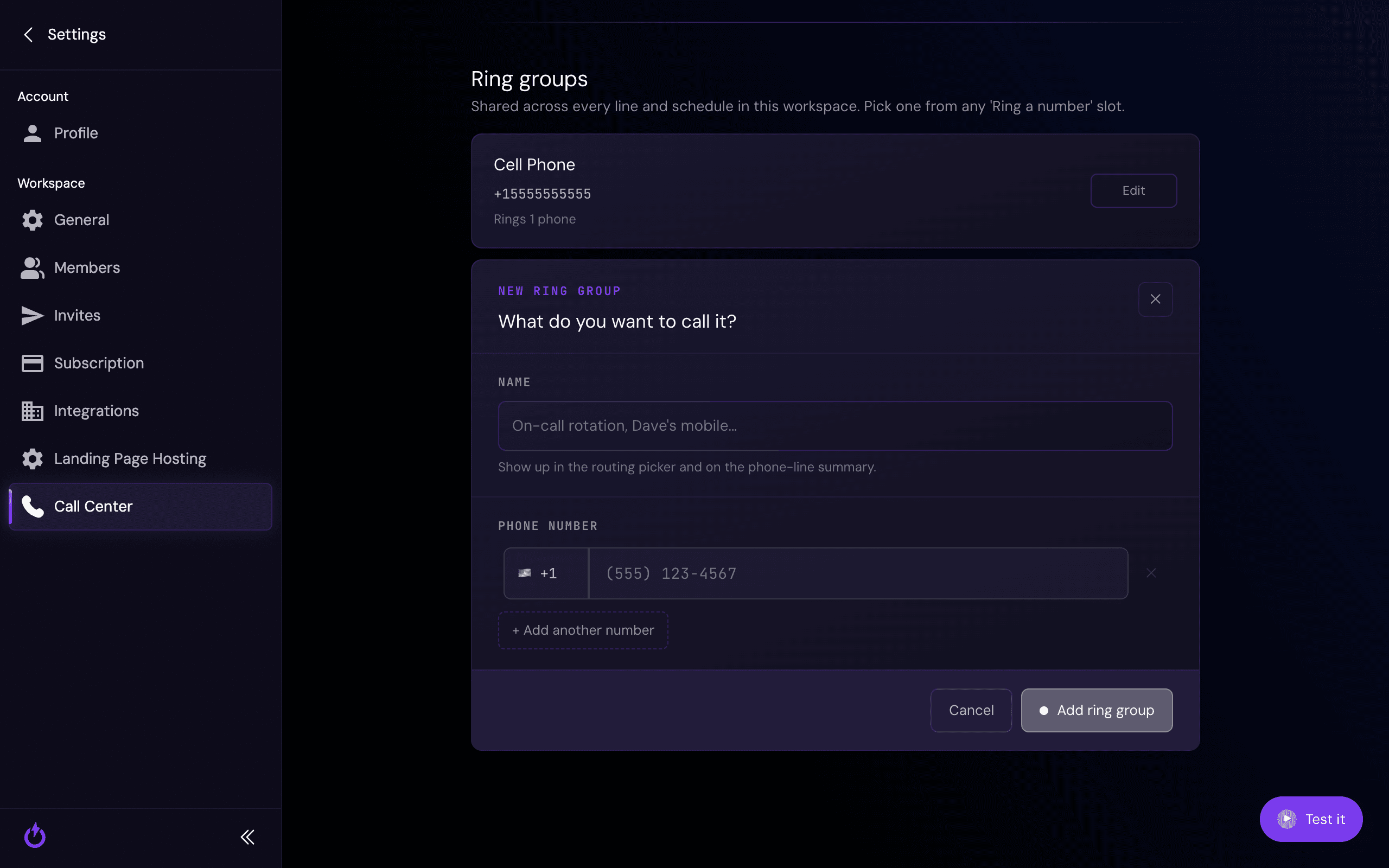
Give the group a name (it shows up wherever you pick a routing destination), then add one or more phone numbers. Use + Add another number to include more than one.
Ring all at once, or one at a time
With more than one number, you choose how they ring:
- All at once — every phone rings together, and whoever grabs it first takes the call. Fastest to answer.
- One at a time — each number rings in turn, moving to the next if the previous doesn't pick up. Useful for an on-call order or a priority line.
What counts as a "picked-up" call
This is the important part when you ring a personal phone: a call is considered picked up the moment anyone — or anything — answers it, including that phone's own voicemail.
So if a call rings your cell and you don't get to it, most phones send it to their voicemail after about 5–6 rings (~30 seconds) — and that counts as answered. Your AI receptionist won't take over, because as far as the system can tell, someone picked up.
To keep missed calls flowing to your AI receptionist, set rings before the AI answers to 4 or fewer. That way the AI steps in before a personal voicemail can grab the call.
Where ring groups are used
Ring groups are shared across every phone line and schedule in your workspace. Once you've created one, pick it from any "Ring a number" option — in your regular hours, after-hours, a holiday, or a temporary override.
Related
Setting Your Hours & Schedule
Business hours, after-hours, holidays, and the rings-before-the-AI setting.
Call Overrides
Temporarily route calls to a ring group for the next few hours.
Still stuck?
Not sure how to set up your ring group, or which numbers to include? Reach out and we'll help you get it right.