

Give Outbound Access to Google Search Console
What Google Search Console is, what it's used for, and how to add Outbound so we can strengthen your presence in Google Search.
Google Search Console is a free Google tool that shows how your website is doing in Google's organic (unpaid) search results. Giving us access lets us see that data and use it to strengthen how you show up in search. Here's what it is, why it matters, and how to add us.
The short version: Search Console shows what people search to find you,
which pages Google has indexed, and any issues holding your site back. Add
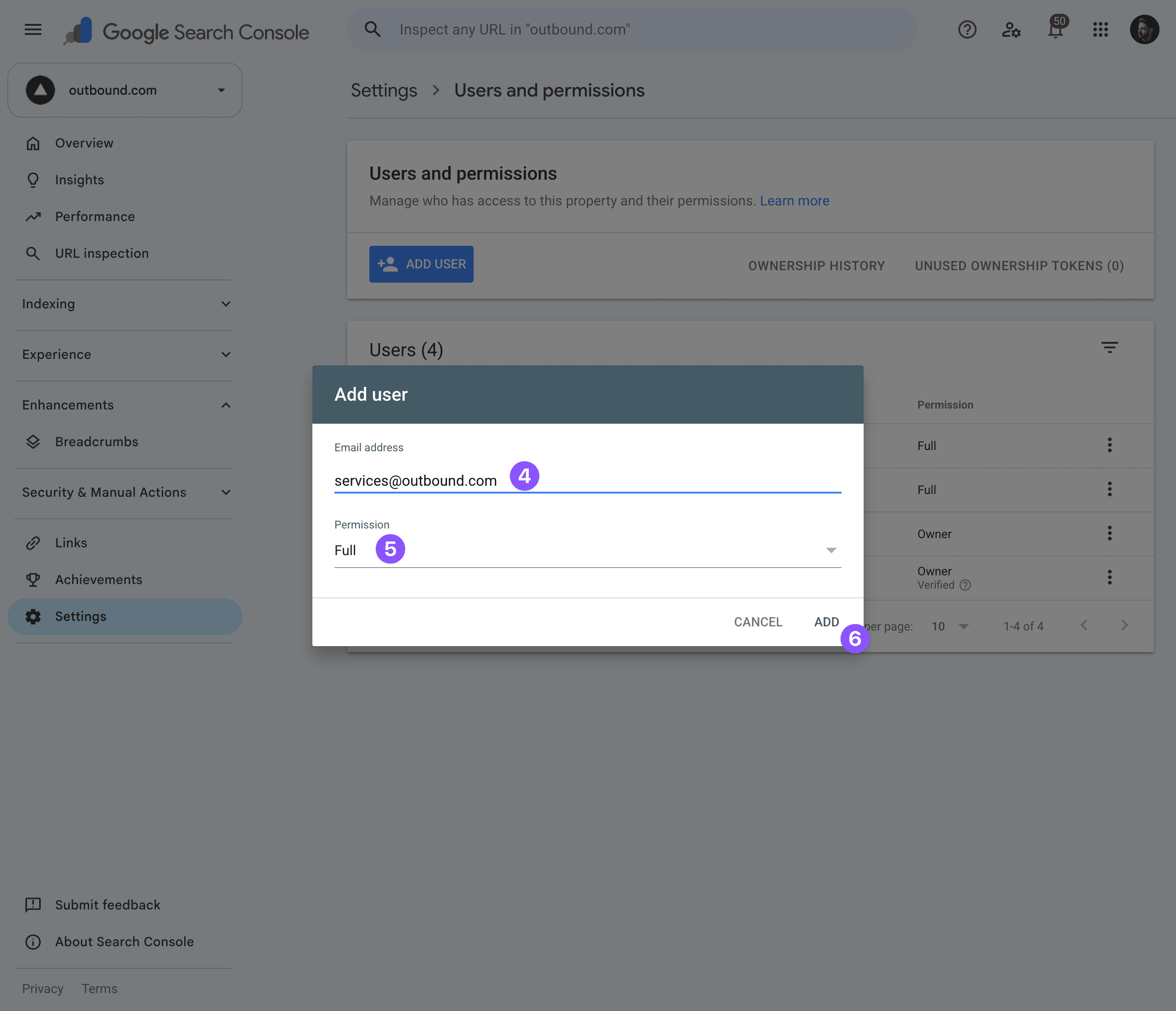
services@outbound.com as a Full user so we can see it and improve your
organic reach.
What is Google Search Console?
Google Search Console (often shortened to "GSC") is a free tool for website owners. It reports on your site's presence in organic search — the regular, unpaid Google results, as opposed to your ads. It shows things like:
- Performance — what people search for to find you, how often you appear, and how many click through.
- Indexing — which of your pages Google has added to its index, and any it couldn't.
- Health & issues — crawl problems, page-experience issues, manual actions, and more.
What we use it for
Access to Search Console helps us:
- see which search terms already bring you traffic — and where there's room to grow,
- make sure your important pages are actually getting indexed by Google,
- catch technical issues that could quietly hold your site back in search,
- and connect your organic search presence with the paid ads we run.
In short, it gives us the full picture of how you show up on Google — not just your ads.
How to get there
Go to search.google.com/search-console and sign in with the Google account that owns your site's Search Console property.
Don't have Search Console set up yet? No problem — let us know and we'll help you get your site added and verified first.
Add Outbound as a user
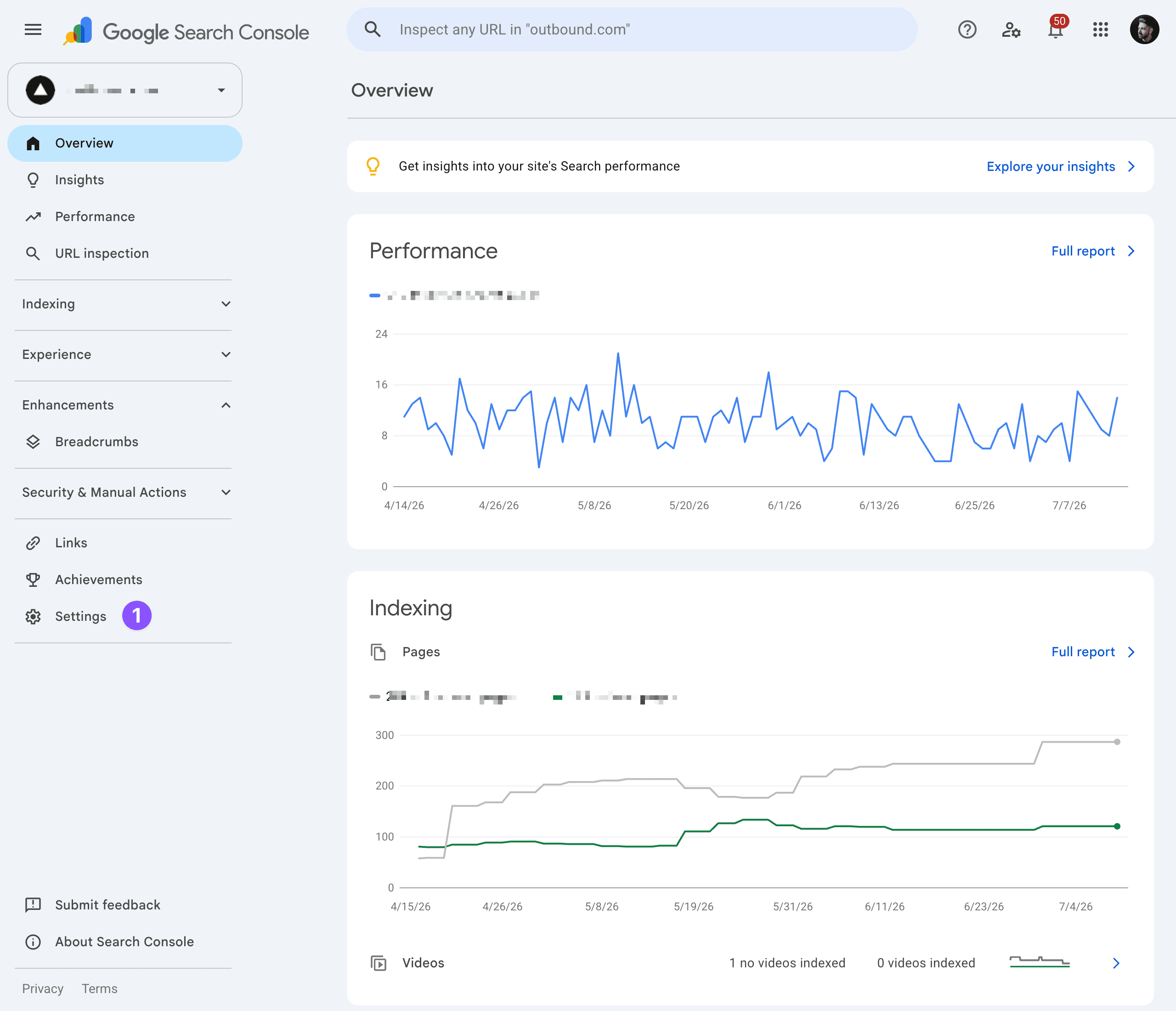
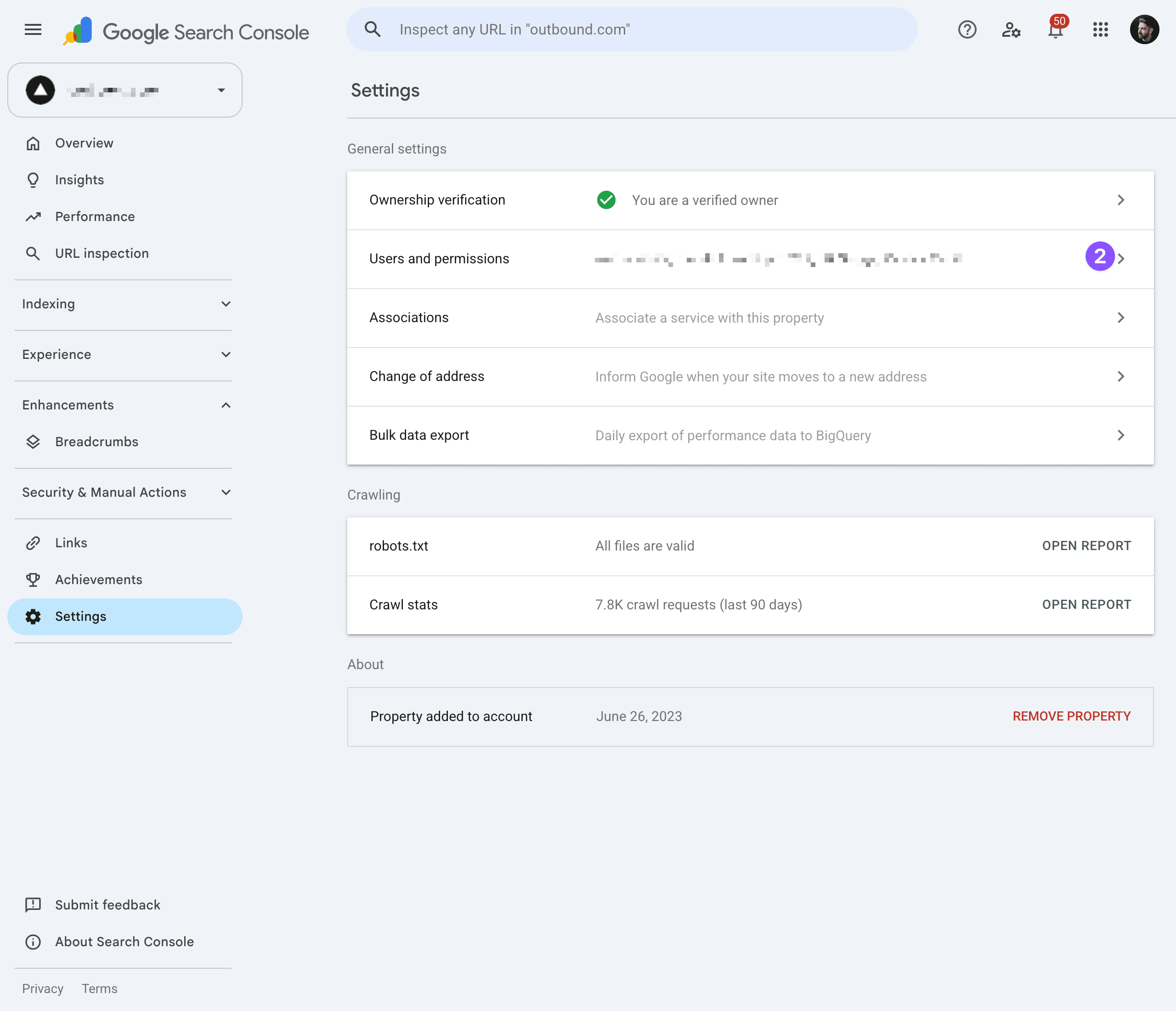
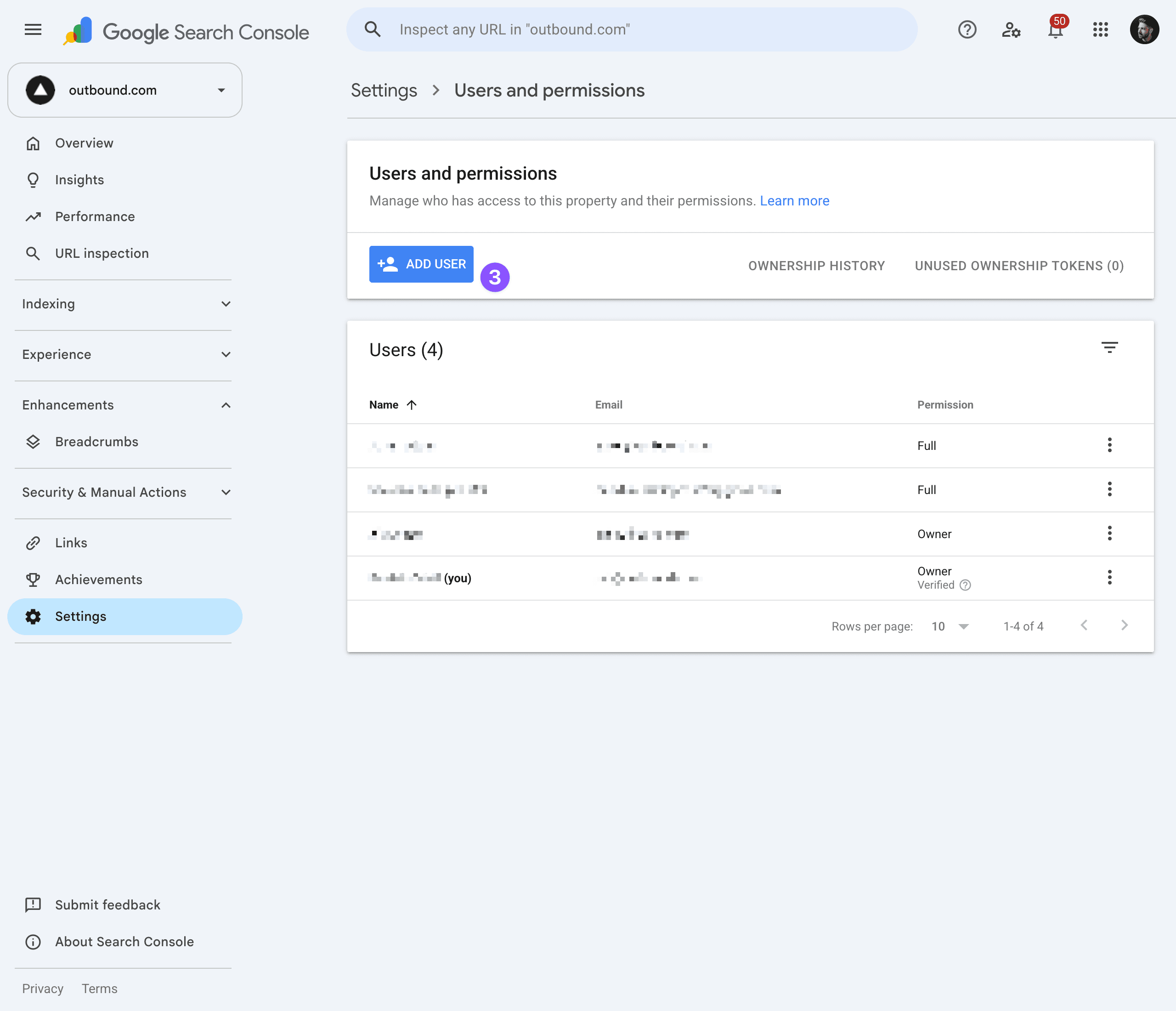
Enter our email and permission
Enter our email (4), set the permission to Full (5), and click ADD (6).
Once you've added us
We'll start reviewing your search performance and indexing to inform your strategy. You stay the owner — you can change or remove access at any time from the same Users and permissions page.
Still stuck?
Not sure whether your site is set up in Search Console, or which property to use? Send us your website and we'll help you check.