

The AI Knowledge Base
How your AI receptionist uses your knowledge base to answer caller questions — and how to write entries that get great answers.
When a customer calls, your AI receptionist can answer their questions — what you charge, what you offer, your hours, your policies — by looking them up in your knowledge base. The knowledge base is just a list of questions and answers that you write. The better your entries, the better your AI answers. Here's how it works, and how to write great ones.
The short version: Each entry is a question (the title) and its answer (the content). When a caller asks something, your AI finds the entry that best fits and answers in its own natural words. Keep each entry short and about one thing.
How your AI uses it
Think of the knowledge base as the answers your receptionist has memorized. When a caller asks a question, your AI:
- Finds the entry that best matches what the caller asked,
- Reads the answer you wrote, and
- Responds conversationally — in its own natural, spoken words, not by reading your entry out word-for-word.
So you're not scripting exactly what the AI says. You're giving it the facts, and it does the talking — phrasing them naturally for each caller. That's why clear, simple facts work better than polished scripts.
What makes a good entry
Every entry has two parts, and how you write them matters:
- Title — the question a customer would ask. Write it the way a caller actually would: "How much do your widgets cost?", "Do you offer financing?", "What are your hours?" This is what helps your AI match a caller's question to the right answer.
- Content — the answer. Put the facts the AI needs to respond. Since the AI speaks the answer out loud, write it the way you'd say it.
Three rules of thumb:
- Short and self-contained beats long. One topic per entry. A focused answer is easier for your AI to find and use than a long, rambling one.
- One question, one entry. If something covers several topics, split it into separate entries — one per question.
- Keep it current. Update entries when your prices, services, or policies change, so your AI never gives out old information.
Examples
Notice how each title is a real question, and each answer is short and to the point:
| Title (the question) | Content (the answer) |
|---|---|
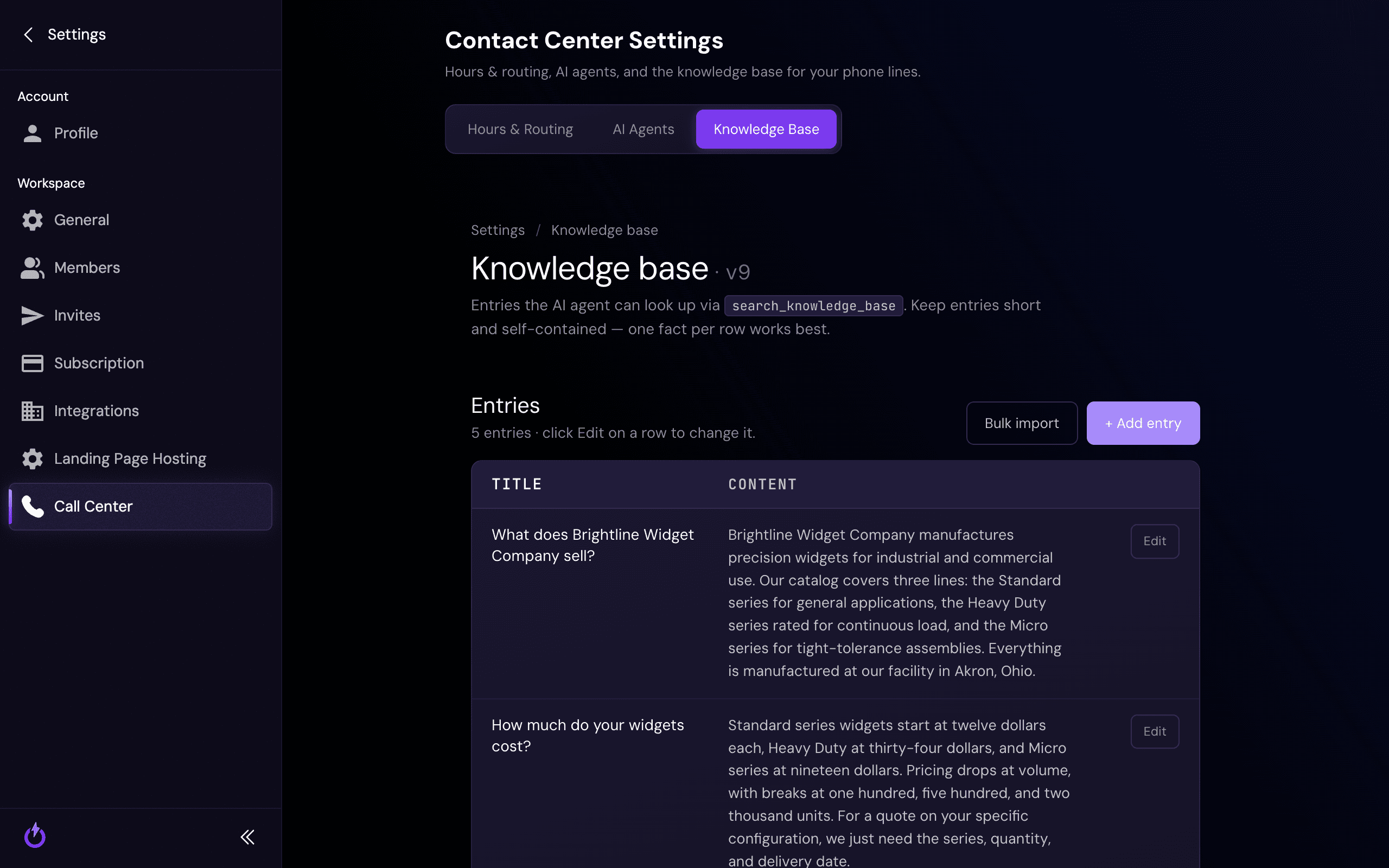
| What does Brightline Widget Company sell? | Brightline manufactures precision widgets in three lines — Standard, Heavy Duty, and Micro — all made in Akron, Ohio. |
| How much do your widgets cost? | Standard widgets start at twelve dollars each, Heavy Duty at thirty-four, and Micro at nineteen. Volume discounts kick in at 100, 500, and 2,000 units. |
Where to add entries
In Outbound, open Contact Center Settings → Knowledge Base. Click + Add entry to add one (title + content), or Bulk import to add several at once.
Still stuck?
Not sure which questions to add, or want help getting your knowledge base started? Reach out — we'll help you build it around the questions your customers actually ask.