

How to Grant Access to Google Ads for a Free Audit
Give Outbound.com read-only access to your Google Ads account so we can run your free audit.
As part of your free audit, the Outbound.com team reviews your Google Ads account — what you're spending, what it's returning, and where money is being left on the table. To do that, we need Read only access.
Read only means exactly that. We can look at your campaigns and performance, but we can't edit anything, touch your billing, or spend a cent. It's the safest access level Google offers for a review like this.
Sign in to Google Ads
Go to ads.google.com and sign in to the account you want audited.
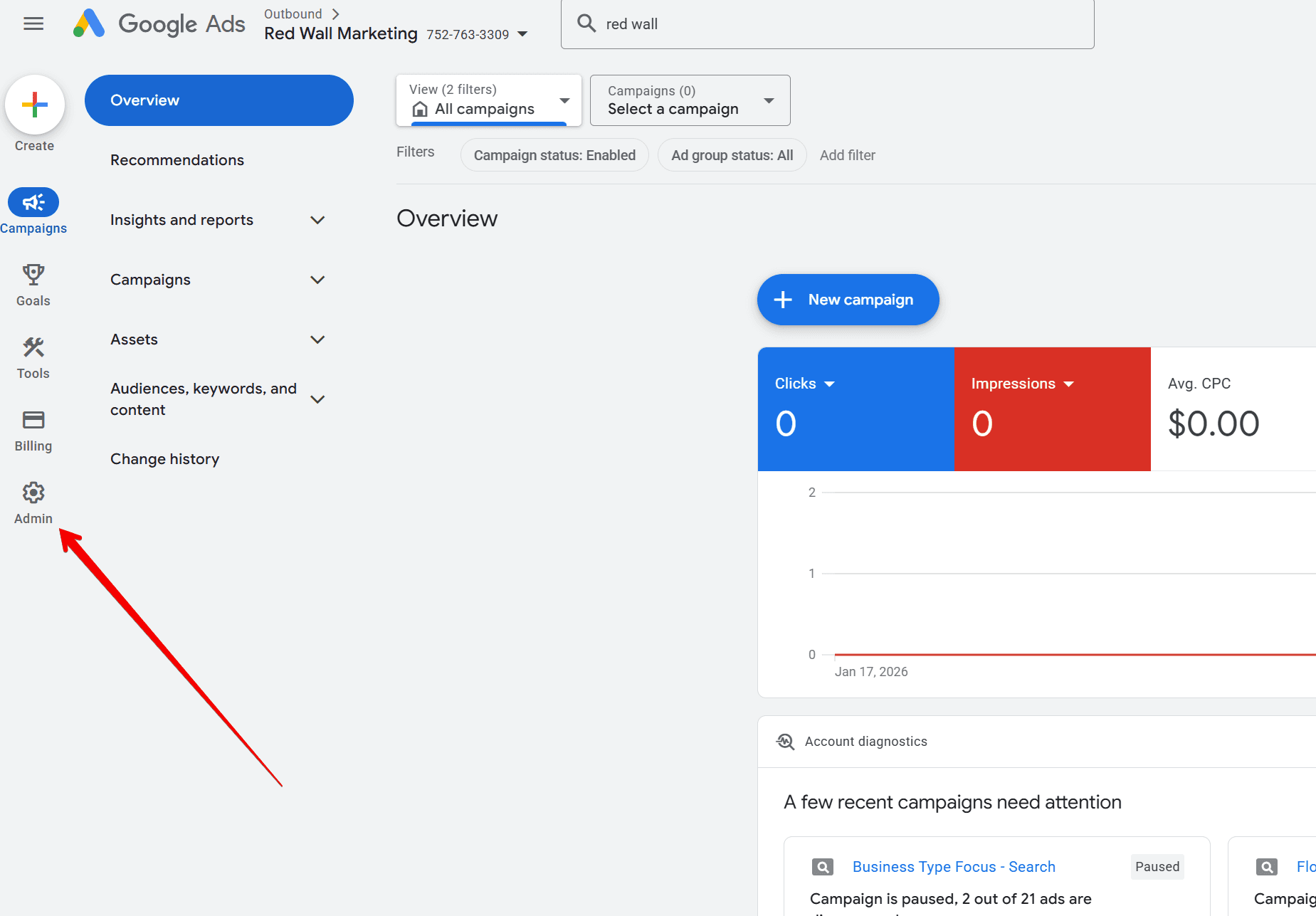
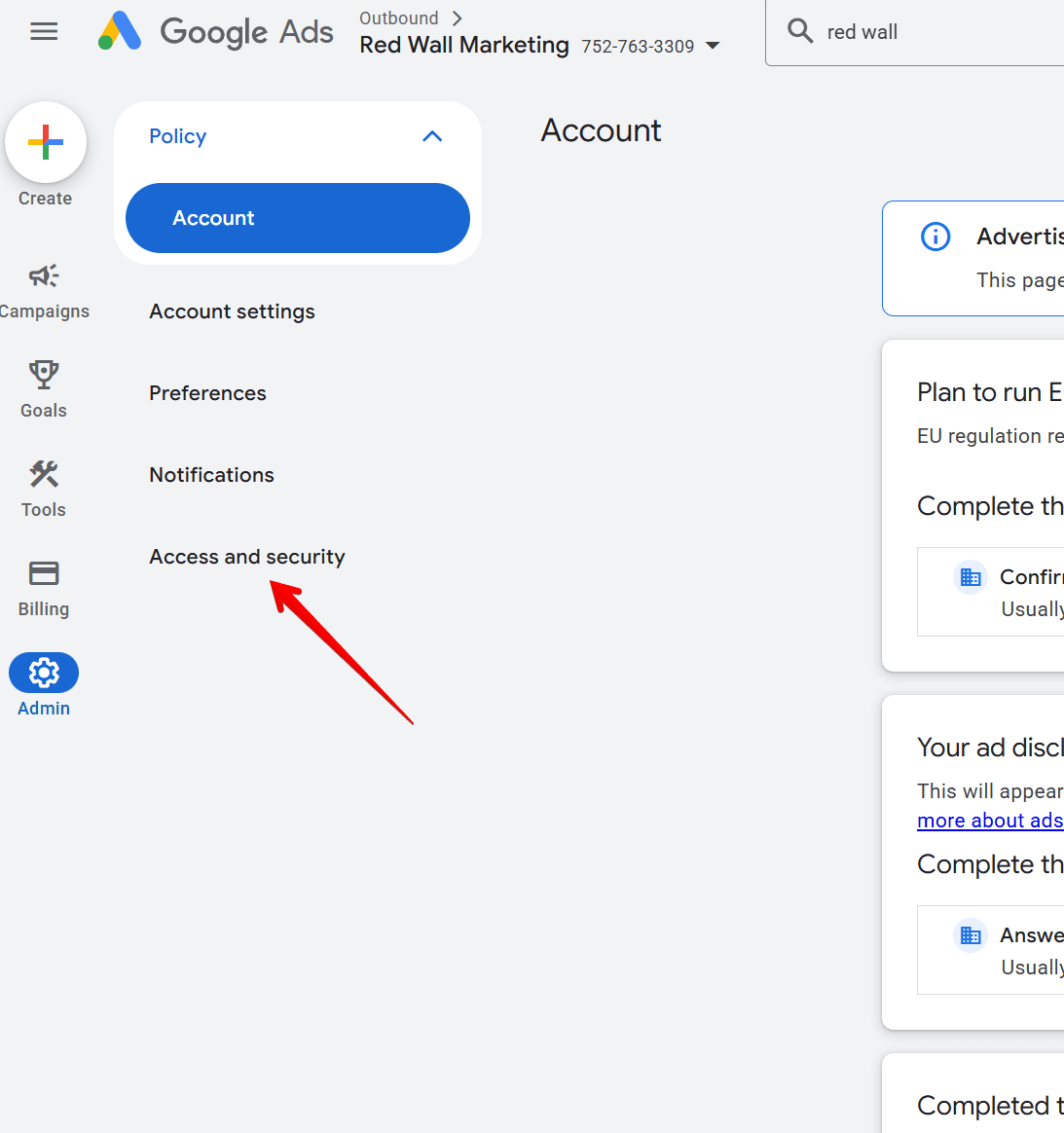
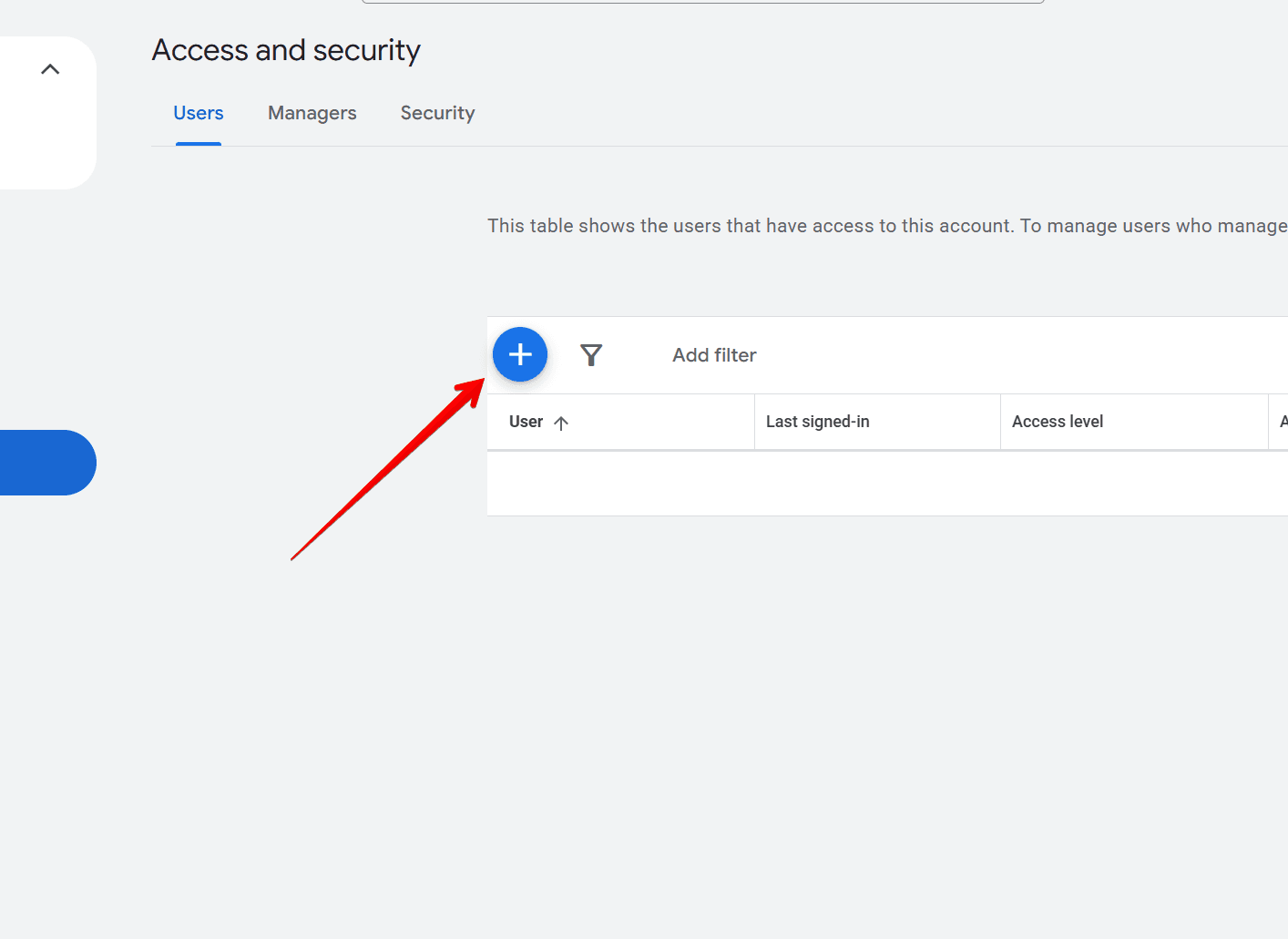
Invite Outbound.com with Read only access
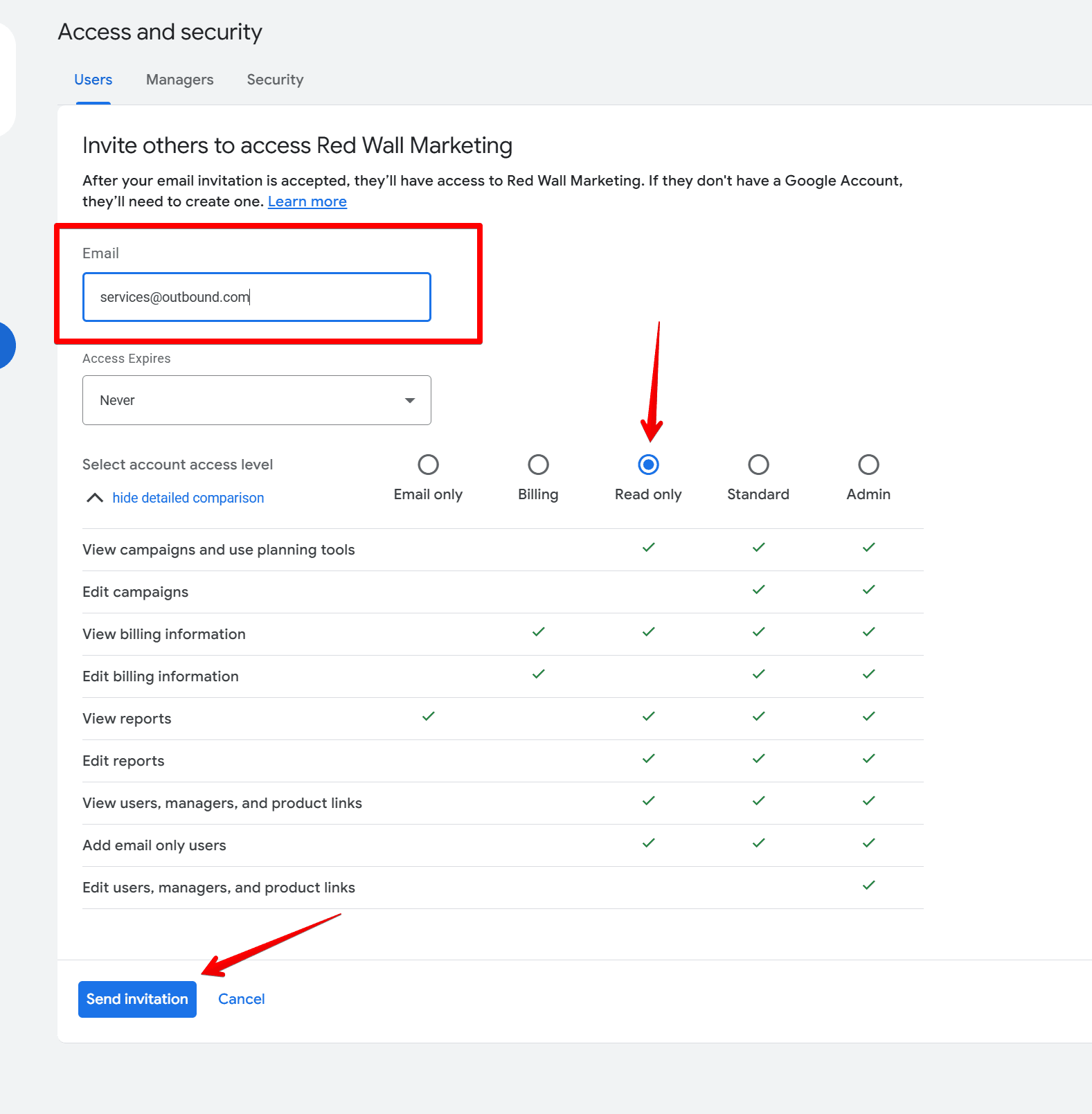
Enter our email in the email field, select Read only as the access level, and click the blue Send invitation button at the bottom left.
What happens next
We accept the invitation, usually within one business day, and get to work on your audit. When it's ready, we'll reach out to walk you through what we found — no strings attached.
Still stuck?
Menu looks different, or you manage ads through an agency? Let us know and we'll figure out the right way to get your audit done.
Google Ads Not Running Due to a Payment Issue
If your ads stopped with a "payment declined" or overdue balance message, here's how to check and fix your Google Ads payment method.
Google Ads Advertiser Verification
What advertiser verification is, how it works, and what to bring to your first check-in call so we can complete it together.